> ## Documentation Index
> Fetch the complete documentation index at: https://docs.callkaro.ai/llms.txt
> Use this file to discover all available pages before exploring further.
# End Call
> Allow AI agent to end calls when conversation completes
## Overview
The End Call function allows your AI agent to end calls when the conversation naturally concludes or when requested by the customer.
**Use Cases:**
* Customer says goodbye
* Conversation objective achieved
* Customer requests to end call
* No further assistance needed
## Configuration
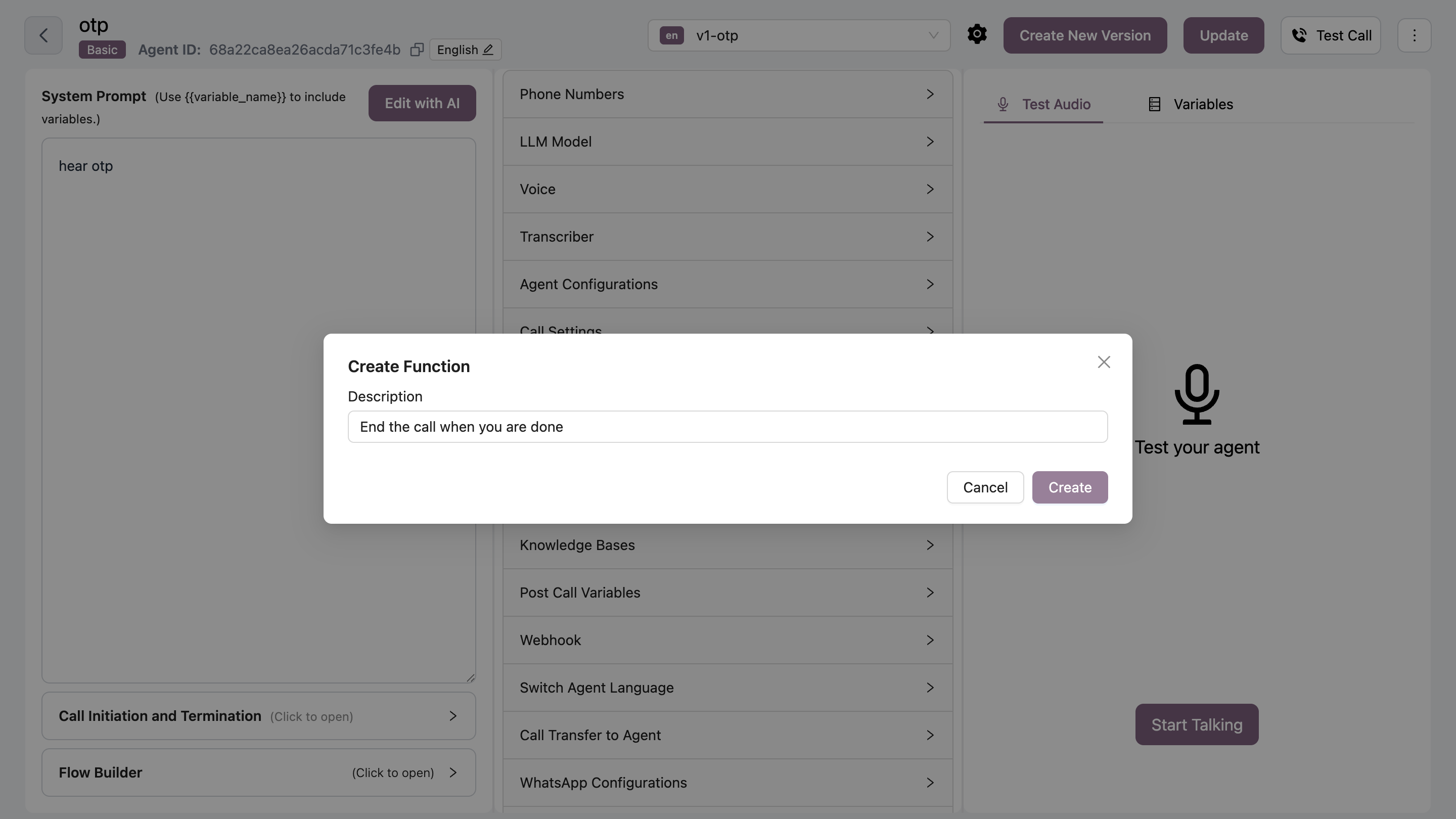 Navigate to your agent → Functions tab → Click Add → Select "End Call"
Define when the AI should end the call
**Example:**
```
End call when user says goodbye, thanks, or no further questions
```
Click Save to activate the function
Be careful with descriptions - too broad conditions may end calls prematurely.
## Common Triggers
Include these common end-call phrases:
* "Goodbye"
* "Thank you, that's all"
* "No more questions"
* "That helps, thanks"
* "I'm good, bye"
Add task-specific completion conditions to end calls naturally after achieving objectives.
Navigate to your agent → Functions tab → Click Add → Select "End Call"
Define when the AI should end the call
**Example:**
```
End call when user says goodbye, thanks, or no further questions
```
Click Save to activate the function
Be careful with descriptions - too broad conditions may end calls prematurely.
## Common Triggers
Include these common end-call phrases:
* "Goodbye"
* "Thank you, that's all"
* "No more questions"
* "That helps, thanks"
* "I'm good, bye"
Add task-specific completion conditions to end calls naturally after achieving objectives.