> ## Documentation Index
> Fetch the complete documentation index at: https://docs.callkaro.ai/llms.txt
> Use this file to discover all available pages before exploring further.
# Keep Call on Hold
> Put calls on hold temporarily during conversations
## Overview
The Keep Call on Hold function allows your AI agent to temporarily pause the conversation and place the customer on hold. This is useful when the agent needs time to process information, wait for external API responses, or simulate human-like pauses.
**Use Cases:**
* Wait for external API responses
* Give time for backend processing
* Simulate realistic hold times during booking confirmations
* Pause before transferring to another department
## Configuration
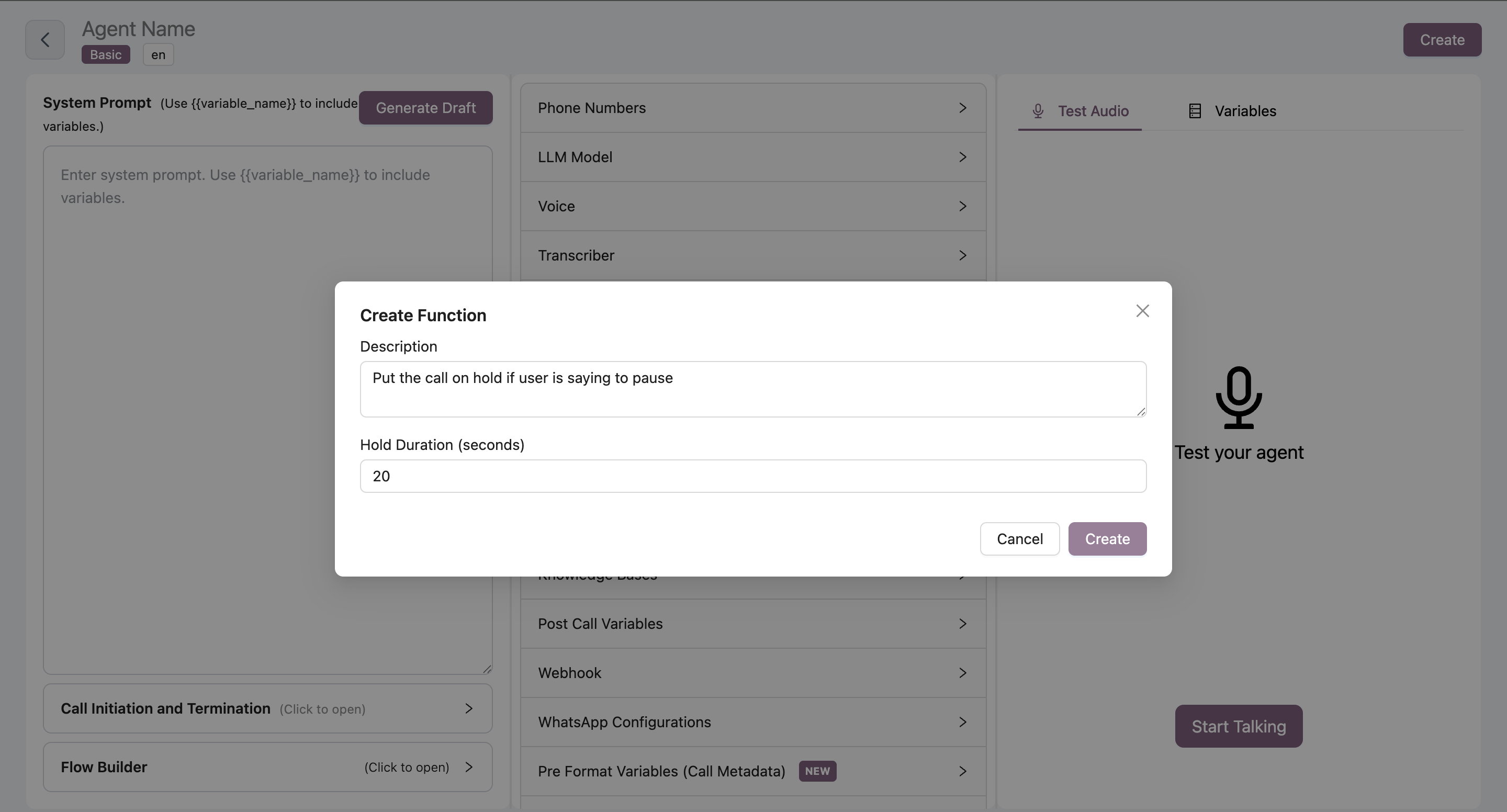 Navigate to your agent → Functions tab → Click Add → Select "Keep Call on Hold"
Define when the AI should put the call on hold
**Example:**
```
Put call on hold while checking availability and booking the appointment
```
Set the hold duration in seconds
* Enter the number of seconds (e.g., 5, 10, 15)
* Duration starts when function is triggered
* Default value: 0 seconds
Click Save to activate the function
## Best Practices
* Keep hold times reasonable (typically 5-15 seconds)
* Longer holds may frustrate customers
* Match duration to expected processing time
Configure your agent's system prompt to inform customers before placing them on hold:
**Example:**
```
"Please hold for a moment while I check that for you..."
```
Combine with other functions for realistic workflows:
* Hold → Check Availability → Book Meeting
* Hold → Transfer Call
Avoid excessive hold times as they may lead to customer dropoff or frustration.
## Common Use Cases
**Booking Confirmations:**
```
Agent: "Let me check the available slots for you. Please hold..."
[Triggers Keep Call on Hold for 5 seconds]
Agent: "Thank you for holding. I found these available times..."
```
**Processing Requests:**
```
Agent: "I'm processing your request now. One moment please..."
[Triggers Keep Call on Hold for 10 seconds]
Agent: "All set! Your request has been processed."
```
Use this function strategically to create natural conversation flow and provide a more human-like experience.
Navigate to your agent → Functions tab → Click Add → Select "Keep Call on Hold"
Define when the AI should put the call on hold
**Example:**
```
Put call on hold while checking availability and booking the appointment
```
Set the hold duration in seconds
* Enter the number of seconds (e.g., 5, 10, 15)
* Duration starts when function is triggered
* Default value: 0 seconds
Click Save to activate the function
## Best Practices
* Keep hold times reasonable (typically 5-15 seconds)
* Longer holds may frustrate customers
* Match duration to expected processing time
Configure your agent's system prompt to inform customers before placing them on hold:
**Example:**
```
"Please hold for a moment while I check that for you..."
```
Combine with other functions for realistic workflows:
* Hold → Check Availability → Book Meeting
* Hold → Transfer Call
Avoid excessive hold times as they may lead to customer dropoff or frustration.
## Common Use Cases
**Booking Confirmations:**
```
Agent: "Let me check the available slots for you. Please hold..."
[Triggers Keep Call on Hold for 5 seconds]
Agent: "Thank you for holding. I found these available times..."
```
**Processing Requests:**
```
Agent: "I'm processing your request now. One moment please..."
[Triggers Keep Call on Hold for 10 seconds]
Agent: "All set! Your request has been processed."
```
Use this function strategically to create natural conversation flow and provide a more human-like experience.