> ## Documentation Index
> Fetch the complete documentation index at: https://docs.callkaro.ai/llms.txt
> Use this file to discover all available pages before exploring further.
# Add Feedback
> Report issues or provide feedback about specific calls
## What is Add Feedback?
Add Feedback allows you to create feedback reports for specific calls, documenting issues or observations that need attention from your engineering team.
## How to Add Feedback
### Step 1: Access Call Details
Navigate to **Call History** and click on any call to open the call details sidebar.
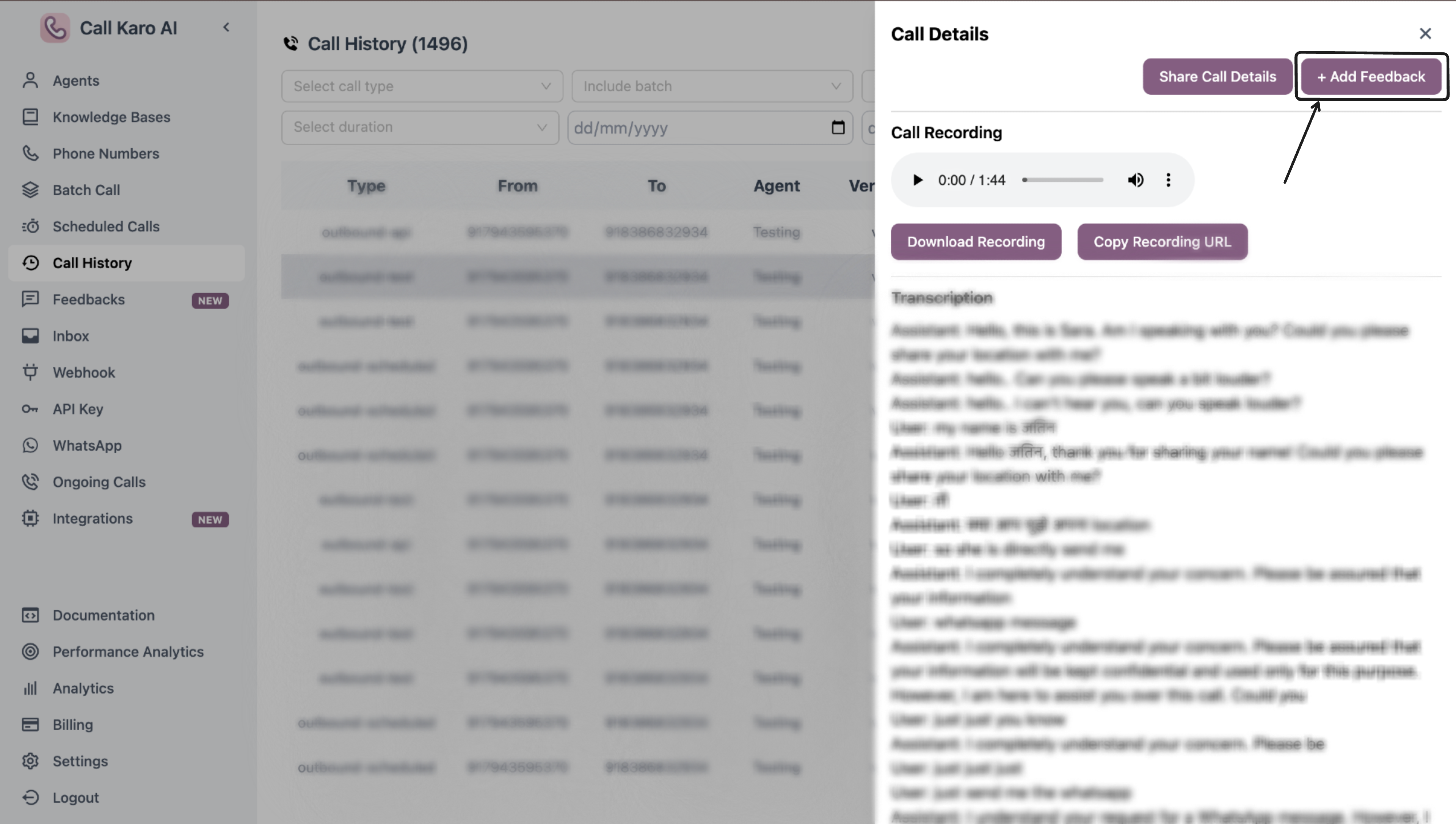 ### Step 2: Click Add Feedback
Click the **+ Add Feedback** button in the sidebar.
### Step 3: Fill Feedback Form
### Step 2: Click Add Feedback
Click the **+ Add Feedback** button in the sidebar.
### Step 3: Fill Feedback Form
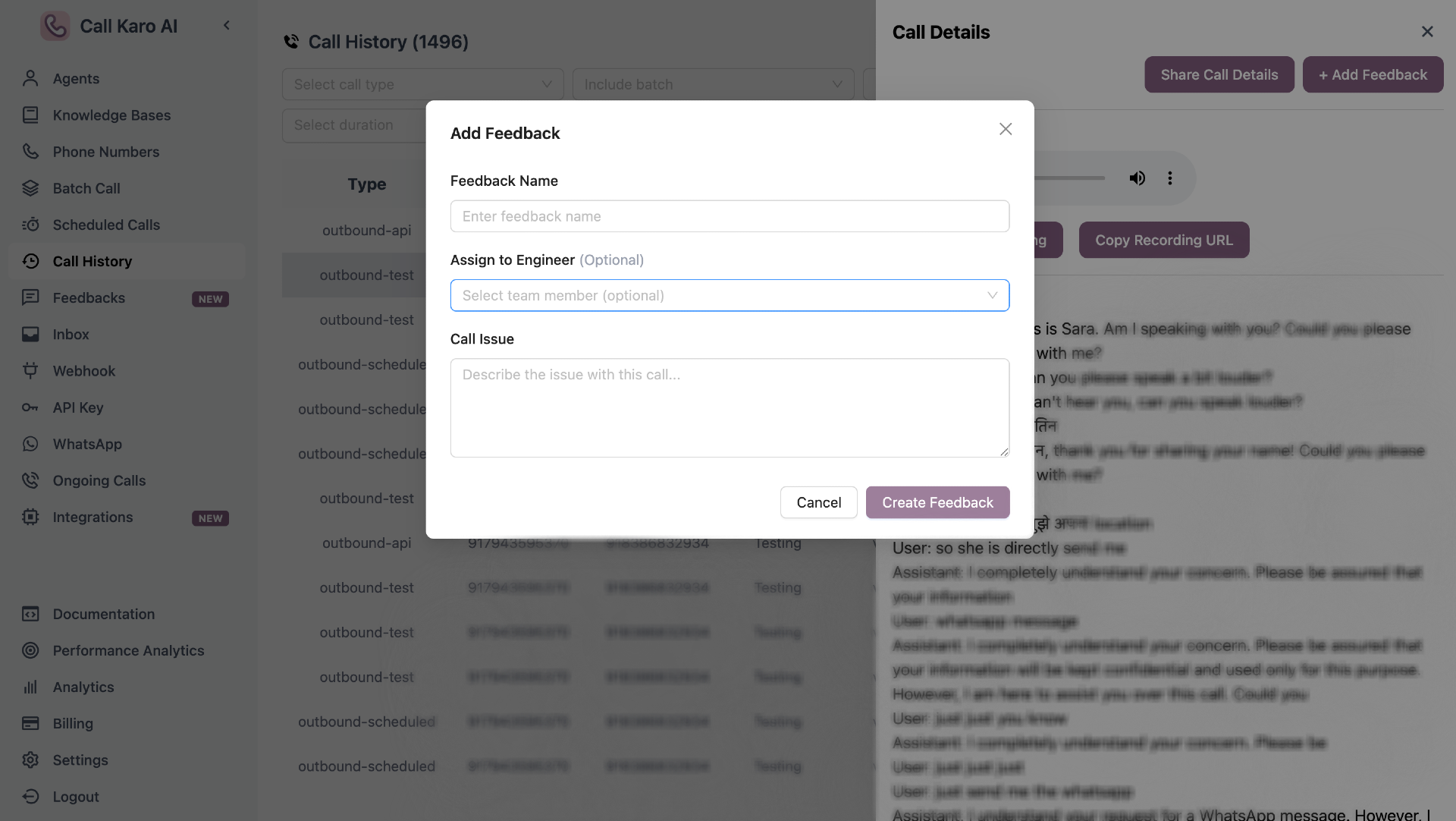 Complete the feedback form with the following fields:
| Field | Required | Description |
| ---------------------- | -------- | ------------------------------------------------ |
| **Feedback Name** | Yes | Short title for the feedback |
| **Assign to Engineer** | No | Select team member to assign (optional) |
| **Call Issue** | Yes | Detailed description of the issue or observation |
### Step 4: Submit
Click **Create Feedback** to submit.
## Form Fields
### Feedback Name
Short, descriptive title for the feedback (e.g., "High latency issue", "Wrong agent response").
### Assign to Engineer (Optional)
Optionally assign the feedback to a specific team member for review and resolution.
### Call Issue
Detailed description of what went wrong or what needs attention in this call.
## View Feedback
View processing feedback
View submitted feedback
View resolved feedback
Complete the feedback form with the following fields:
| Field | Required | Description |
| ---------------------- | -------- | ------------------------------------------------ |
| **Feedback Name** | Yes | Short title for the feedback |
| **Assign to Engineer** | No | Select team member to assign (optional) |
| **Call Issue** | Yes | Detailed description of the issue or observation |
### Step 4: Submit
Click **Create Feedback** to submit.
## Form Fields
### Feedback Name
Short, descriptive title for the feedback (e.g., "High latency issue", "Wrong agent response").
### Assign to Engineer (Optional)
Optionally assign the feedback to a specific team member for review and resolution.
### Call Issue
Detailed description of what went wrong or what needs attention in this call.
## View Feedback
View processing feedback
View submitted feedback
View resolved feedback