> ## Documentation Index
> Fetch the complete documentation index at: https://docs.callkaro.ai/llms.txt
> Use this file to discover all available pages before exploring further.
# Introduction
> Connect CallKaro AI with your favorite tools
## What are Integrations?
Integrations connect CallKaro AI with external platforms to automate workflows, sync data, and enhance your AI calling capabilities.
## Available Integrations
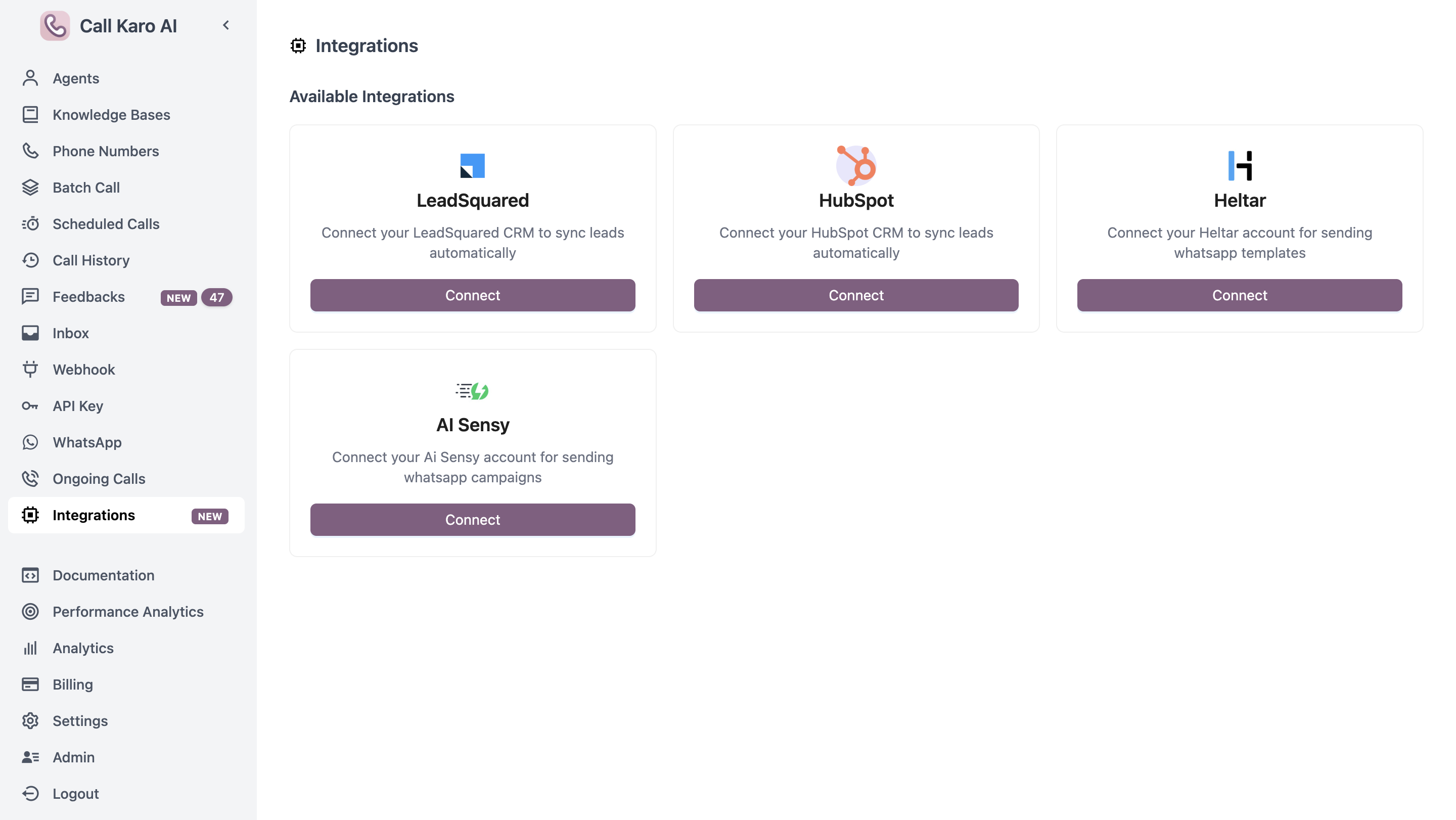 CallKaro AI supports the following integrations:
### CRM Integrations
Sync leads and call data with LeadSquared
Sync leads and call data with HubSpot CRM
### WhatsApp Integrations
Send WhatsApp messages during and after calls
Alternative WhatsApp messaging platform
## How Integrations Work
1. **Navigate to Integrations** - Go to Dashboard → Integrations
2. **Select Integration** - Choose the platform you want to connect
3. **Enter Credentials** - Provide API keys or authentication details
4. **Configure** - Set up triggers and data mappings
5. **Test** - Verify the integration works correctly
## Integration Benefits
* **Automation** - Eliminate manual data entry and repetitive tasks
* **Real-time sync** - Keep data synchronized across platforms
* **Enhanced workflows** - Combine AI calling with your existing tools
* **Better insights** - Centralize data for comprehensive analytics
Each integration has specific requirements and setup steps. Click on an integration above to view detailed documentation.
CallKaro AI supports the following integrations:
### CRM Integrations
Sync leads and call data with LeadSquared
Sync leads and call data with HubSpot CRM
### WhatsApp Integrations
Send WhatsApp messages during and after calls
Alternative WhatsApp messaging platform
## How Integrations Work
1. **Navigate to Integrations** - Go to Dashboard → Integrations
2. **Select Integration** - Choose the platform you want to connect
3. **Enter Credentials** - Provide API keys or authentication details
4. **Configure** - Set up triggers and data mappings
5. **Test** - Verify the integration works correctly
## Integration Benefits
* **Automation** - Eliminate manual data entry and repetitive tasks
* **Real-time sync** - Keep data synchronized across platforms
* **Enhanced workflows** - Combine AI calling with your existing tools
* **Better insights** - Centralize data for comprehensive analytics
Each integration has specific requirements and setup steps. Click on an integration above to view detailed documentation.