> ## Documentation Index
> Fetch the complete documentation index at: https://docs.callkaro.ai/llms.txt
> Use this file to discover all available pages before exploring further.
# Introduction
> Understanding webhook types and configuration
## What are Webhooks?
Webhooks are automated HTTP POST requests sent to your server when specific events occur in CallKaro AI. They allow you to receive real-time data and integrate it with your CRM, databases, or other systems.
## Types of Webhooks
### User Level Webhook
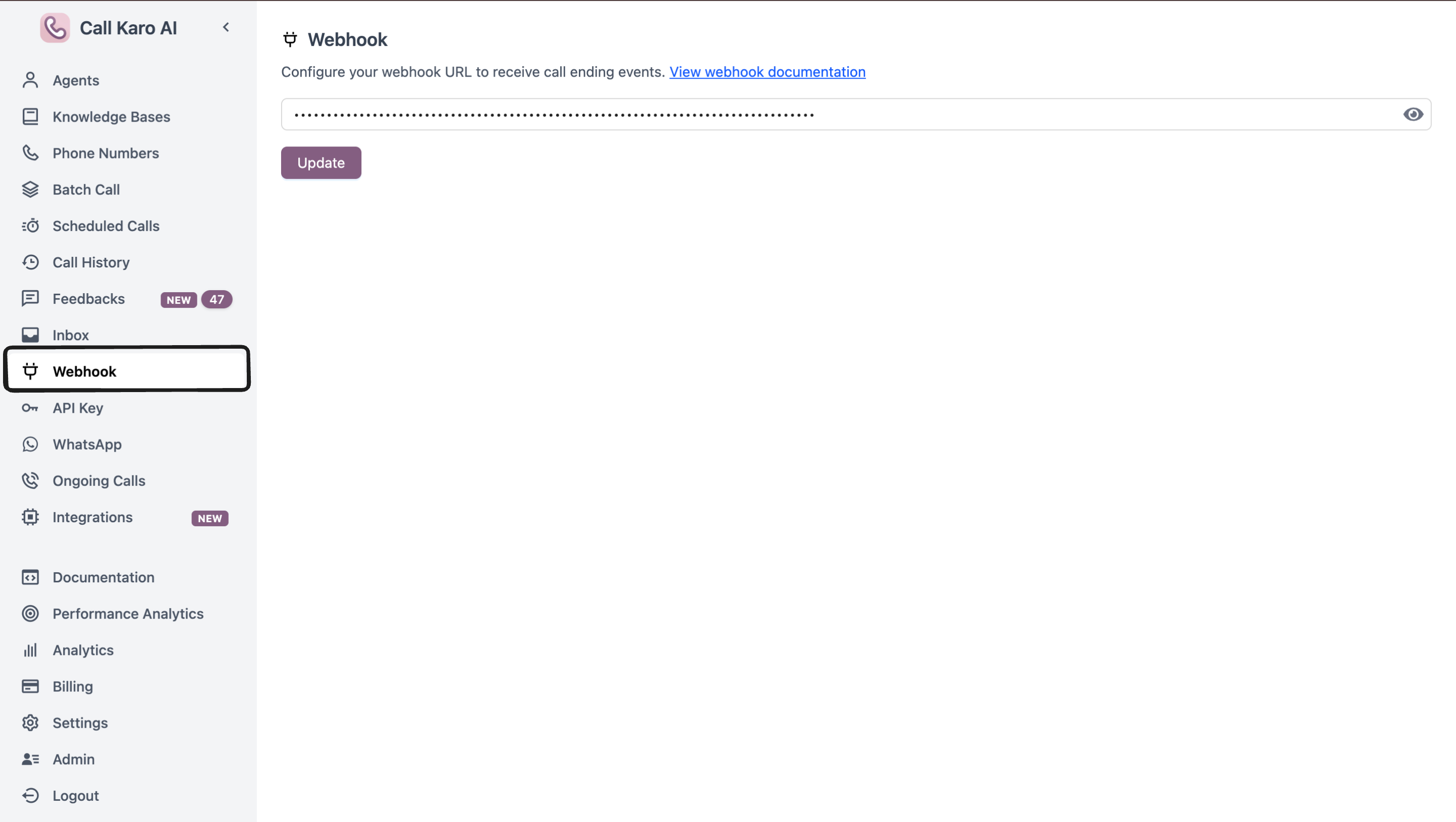
**Configuration:** Dashboard → Webhook
**Scope:** Receives events from **ALL agents** in your account
**Use Cases:**
* Centralized logging for all calls
* Single integration endpoint
* Account-wide analytics
* Unified CRM updates
### Agent Level Webhook
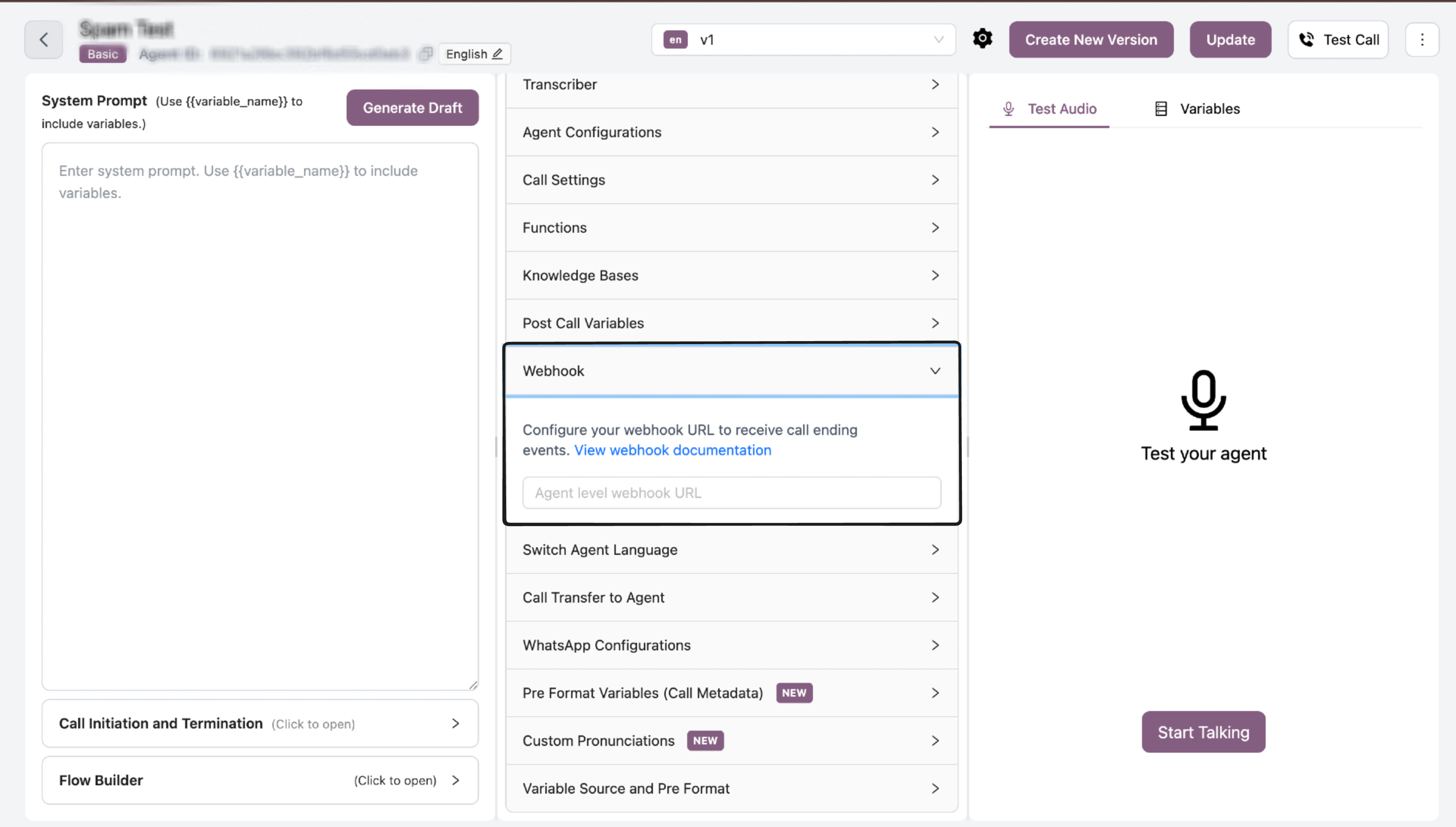
**Configuration:** Individual agent's configuration page
**Scope:** Receives events from **that specific agent only**
**Use Cases:**
* Agent-specific integrations
* Different endpoints per agent
* Granular routing
* Specialized workflows per agent
Both webhooks can be configured simultaneously. When both are set, the same event will be sent to both webhook URLs.
## Configuration Steps
### User Level Webhook
1. Navigate to **Dashboard → Webhook**
2. Enter your webhook URL
3. Click **Save**
All agents in your account will now send events to this URL.
 ### Agent Level Webhook
1. Navigate to **Agent Dashboard**
2. Select the specific agent
3. Go to agent configuration/settings
4. Enter webhook URL in the webhook field
5. Save the agent configuration
Only that specific agent will send events to this URL.
### Agent Level Webhook
1. Navigate to **Agent Dashboard**
2. Select the specific agent
3. Go to agent configuration/settings
4. Enter webhook URL in the webhook field
5. Save the agent configuration
Only that specific agent will send events to this URL.
 ## Webhook Events
CallKaro AI currently supports the following webhook event:
Triggered when any call completes - view payload details
## Best Practices
* **Use HTTPS** - Always use HTTPS endpoints for secure data transmission
* **Respond quickly** - Ensure your endpoint responds with 2xx status within 5 seconds
* **Validate requests** - Verify event types before processing
* **Log events** - Keep logs for debugging and auditing
* **Handle duplicates** - Implement idempotency for reliability
## Webhook Events
CallKaro AI currently supports the following webhook event:
Triggered when any call completes - view payload details
## Best Practices
* **Use HTTPS** - Always use HTTPS endpoints for secure data transmission
* **Respond quickly** - Ensure your endpoint responds with 2xx status within 5 seconds
* **Validate requests** - Verify event types before processing
* **Log events** - Keep logs for debugging and auditing
* **Handle duplicates** - Implement idempotency for reliability