How to Create a Batch Call
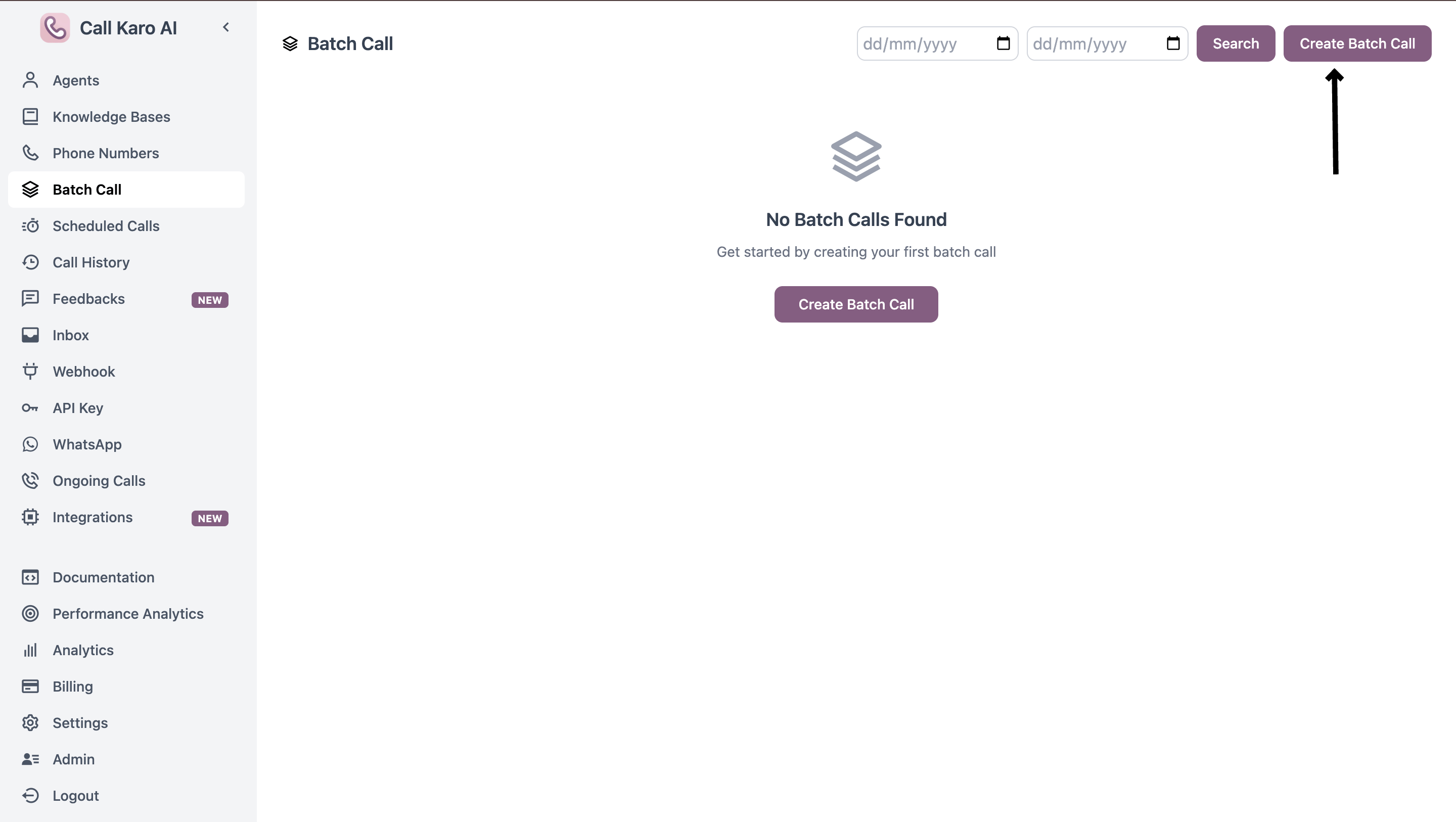
Navigate to the Batch Calls page and click Create Batch Call:
https://callkaro.ai/dashboard/batch-calls
Send Now
Use this mode to trigger calls immediately to all contacts in your CSV file.
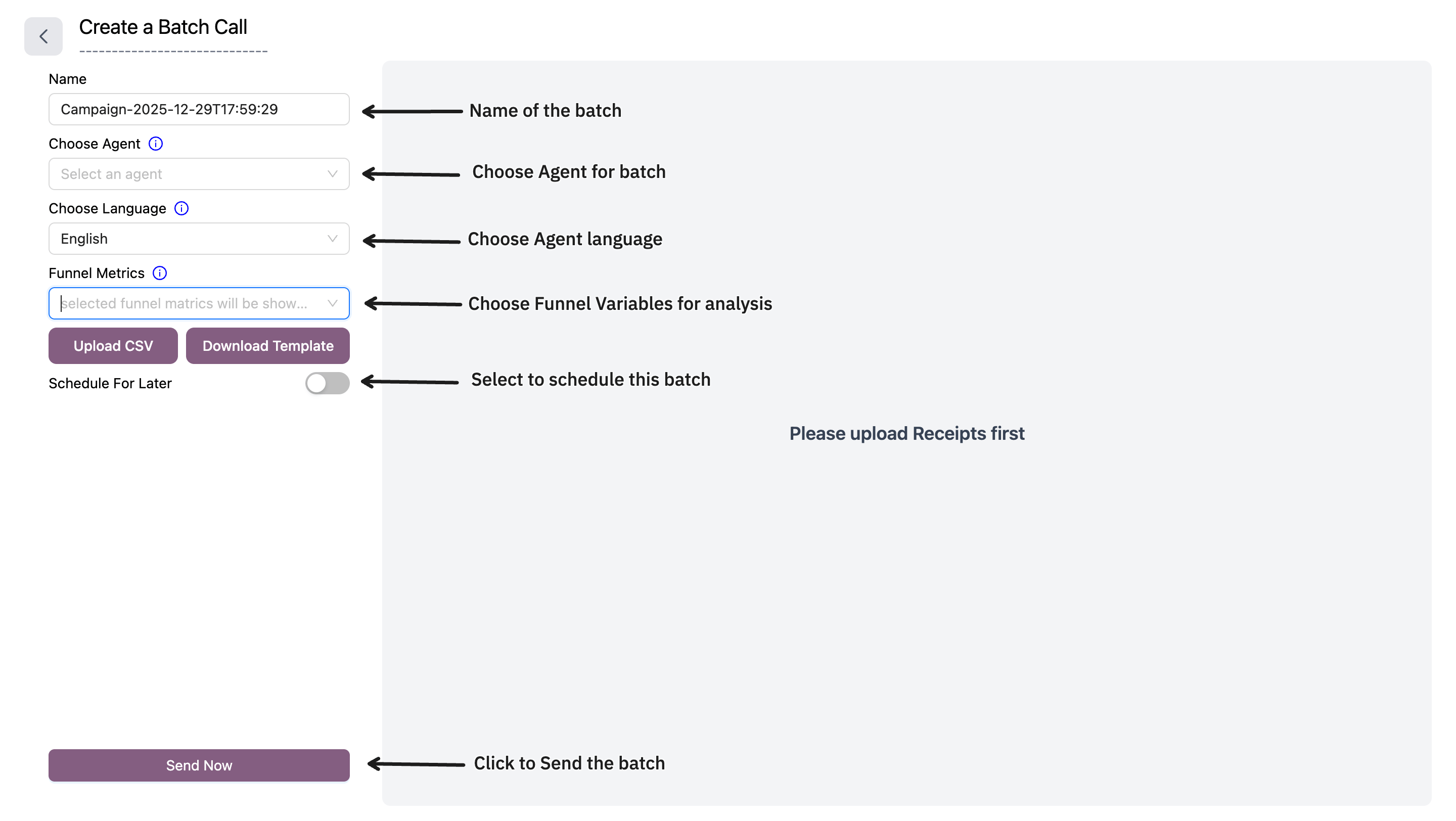
Required Fields
| Field | Description |
|---|
| Name | Batch call campaign name (auto-generated with timestamp) |
| Choose Agent | Select which AI agent will make the calls. Can be overridden per-call using x_agent_id column in CSV |
| Choose Language | Select call language. Can be overridden per-call using x_language column in CSV |
| Funnel Metrics | Select post-call boolean variables to track in funnel chart. Selection order determines chart order |
| Upload CSV | Upload CSV file with contact data. First column must be phone numbers |
- First column: Phone numbers (required)
- Additional columns: Custom metadata for each call
Optional CSV Columns
| Column Name | Description |
|---|
x_agent_id | Override agent for specific calls |
x_language | Override language for specific calls |
| Any other column | Custom metadata accessible during the call |
phone_number,name,city,x_agent_id
919876543210,John,Mumbai,
918765432109,Sarah,Delhi,agent_id_123
Download Template
Click Download Template to get a sample CSV file with the correct format.
Schedule For Later
Use this mode to schedule calls for future execution with advanced retry logic and call windows.
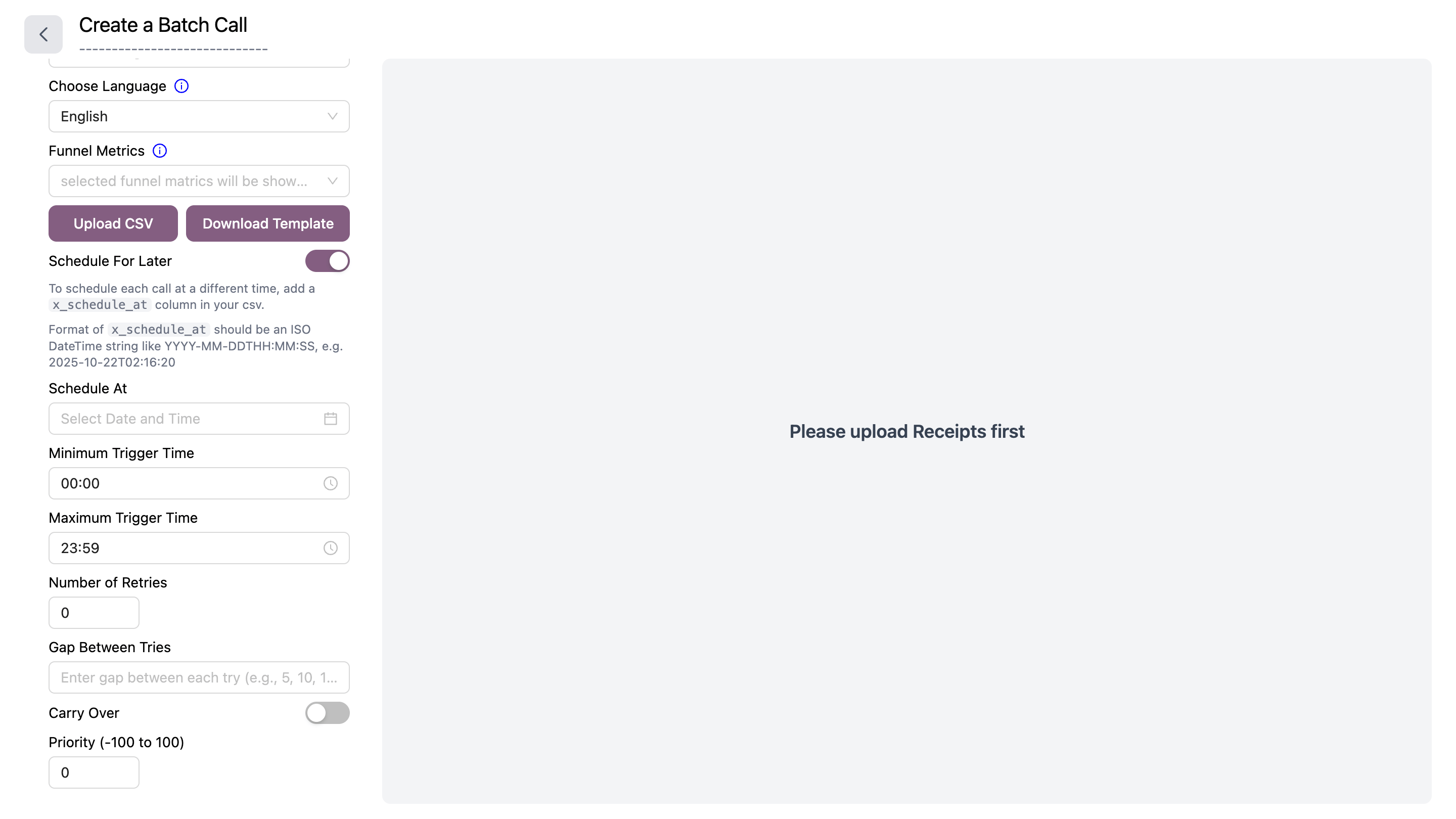
Toggle Schedule For Later to enable scheduling options.
Additional Fields
| Field | Description |
|---|
| Schedule At | Date and time to start calling. Can be overridden per-call using x_schedule_at column in CSV (format: YYYY-MM-DDTHH:MM:SS) |
| Minimum Trigger Time | Earliest time of day calls can be triggered (HH:MM format) |
| Maximum Trigger Time | Latest time of day calls can be triggered (HH:MM format) |
| Number of Retries | How many times to retry failed/unanswered calls (0-N) |
| Gap Between Tries | Comma-separated minutes between retries (e.g., 5,10,15 for 5 min, then 10 min, then 15 min) |
| Carry Over | Toggle on to carry over remaining calls to next day if not completed |
| Priority | Call priority from -100 to 100. Higher priority calls are processed first |
x_schedule_at column:
Example CSV with individual scheduling:
phone_number,name,x_schedule_at
919876543210,John,2025-12-30T10:00:00
918765432109,Sarah,2025-12-30T14:30:00
How It Works
- Fill in the required fields
- Upload your CSV file
- Preview your data in the table on the right
- Click Send Now or Schedule For Later
- Confirm the action
- Calls are queued and will start processing
Use x_agent_id and x_language columns in your CSV to assign different agents or languages to different contacts in the same batch.
The Funnel Metrics selection determines which post-call variables appear in your analytics funnel chart. The order you select them matters.