What is Add Feedback?
Add Feedback allows you to create feedback reports for specific calls, documenting issues or observations that need attention from your engineering team.How to Add Feedback
Step 1: Access Call Details
Navigate to Call History and click on any call to open the call details sidebar.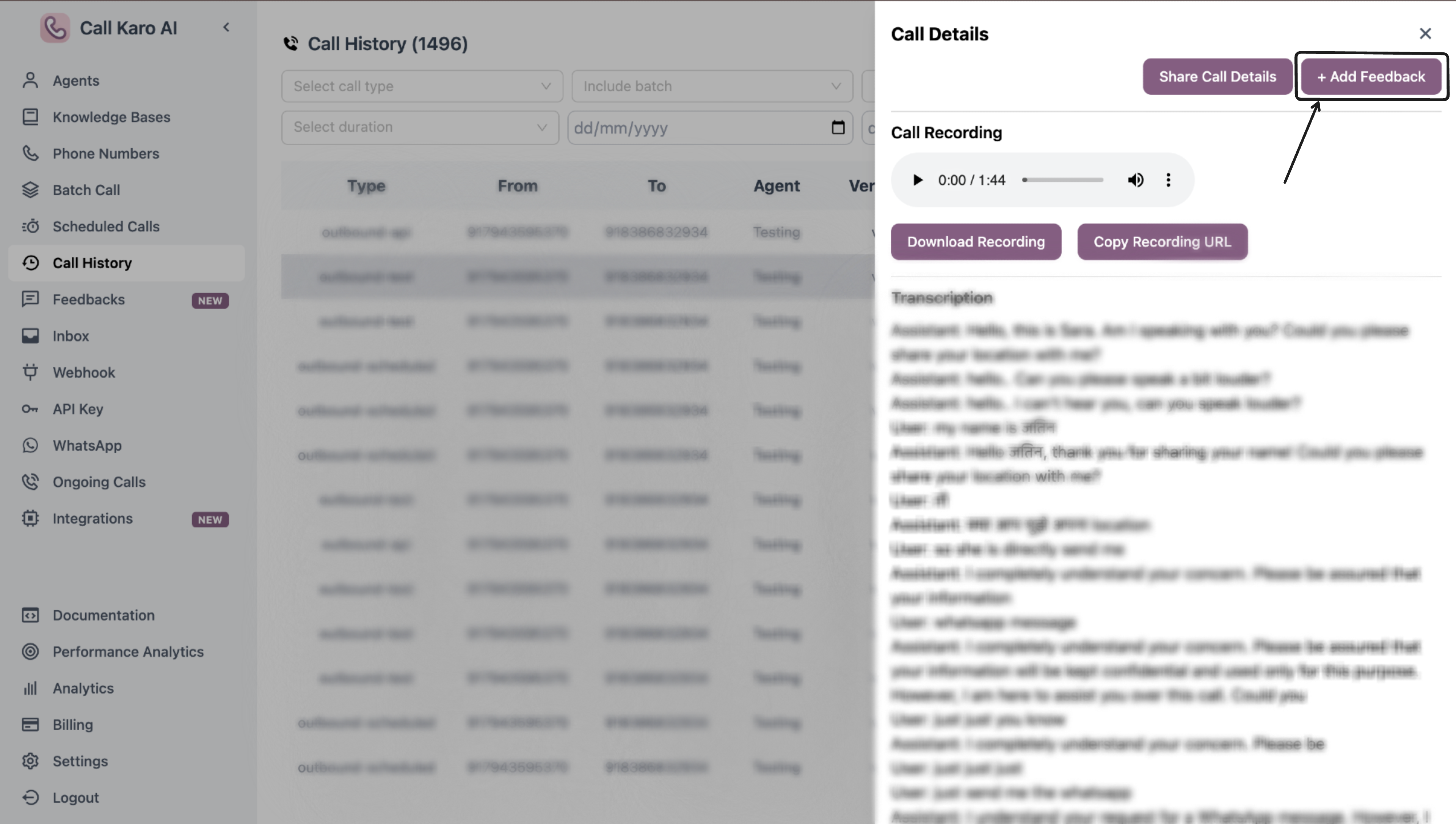
Step 2: Click Add Feedback
Click the + Add Feedback button in the sidebar.Step 3: Fill Feedback Form
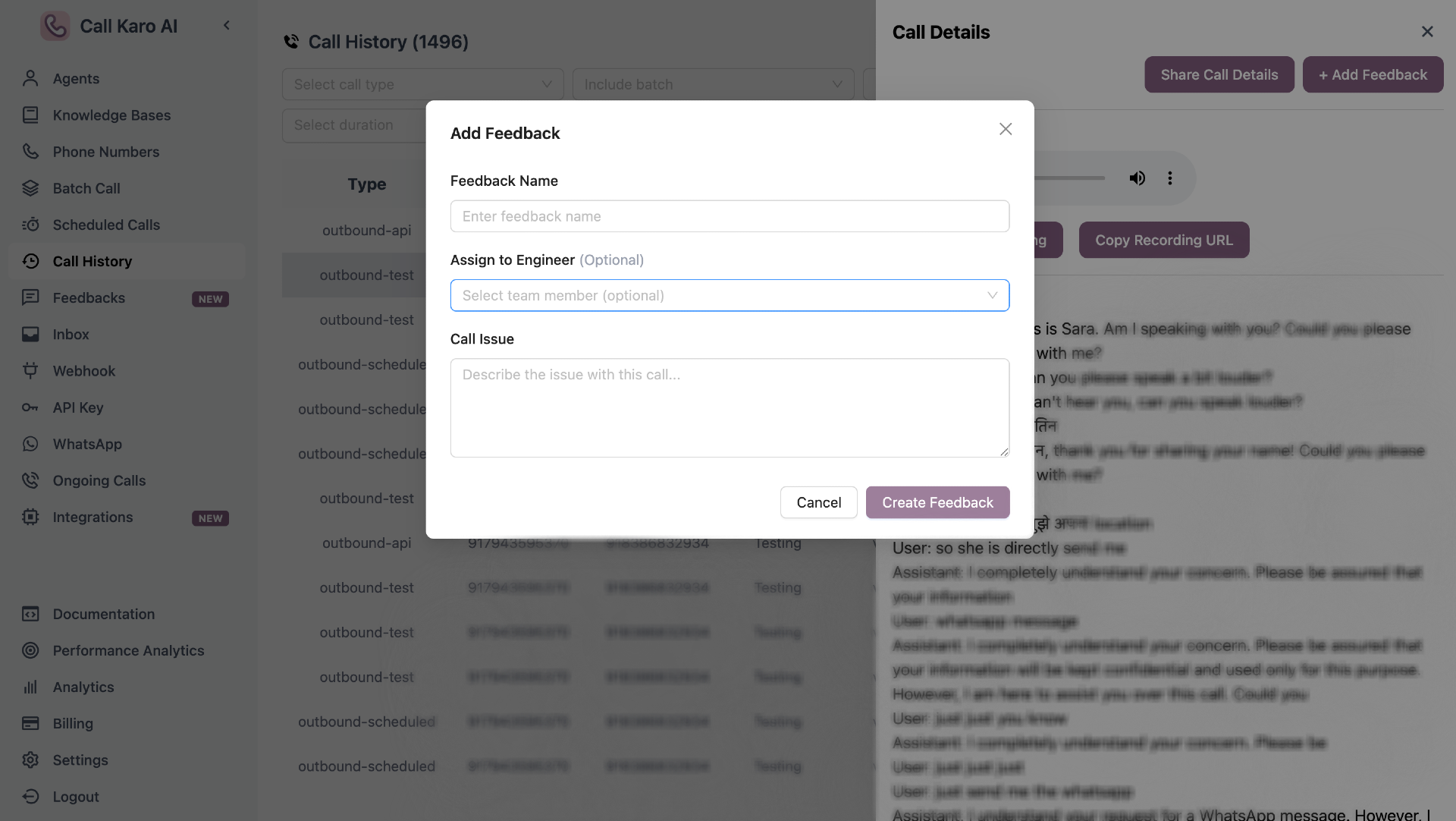
Step 4: Submit
Click Create Feedback to submit.Form Fields
Feedback Name
Short, descriptive title for the feedback (e.g., “High latency issue”, “Wrong agent response”).Assign to Engineer (Optional)
Optionally assign the feedback to a specific team member for review and resolution.Call Issue
Detailed description of what went wrong or what needs attention in this call.View Feedback
Unresolved Feedback
View processing feedback
In Review Feedback
View submitted feedback
Resolved Feedback
View resolved feedback