
Overview

Post-call functions execute after AI calls end. They process call data, update systems, and trigger workflows based on call outcomes. Common Use Cases:
  • Calculate next date of action (NDOA)
  • Update CRM with call results
  • Send follow-up emails
  • Trigger webhooks
  • Generate reports
  • Schedule callbacks

Execution Timing

[Call Ends] → [Post-Call Function Executes] → [Results Saved]
Post-call functions run automatically after every call, allowing you to process call data and take action.

Basic Mode

Configure API integrations with JSON parameter mapping. Post-Call Basic Mode
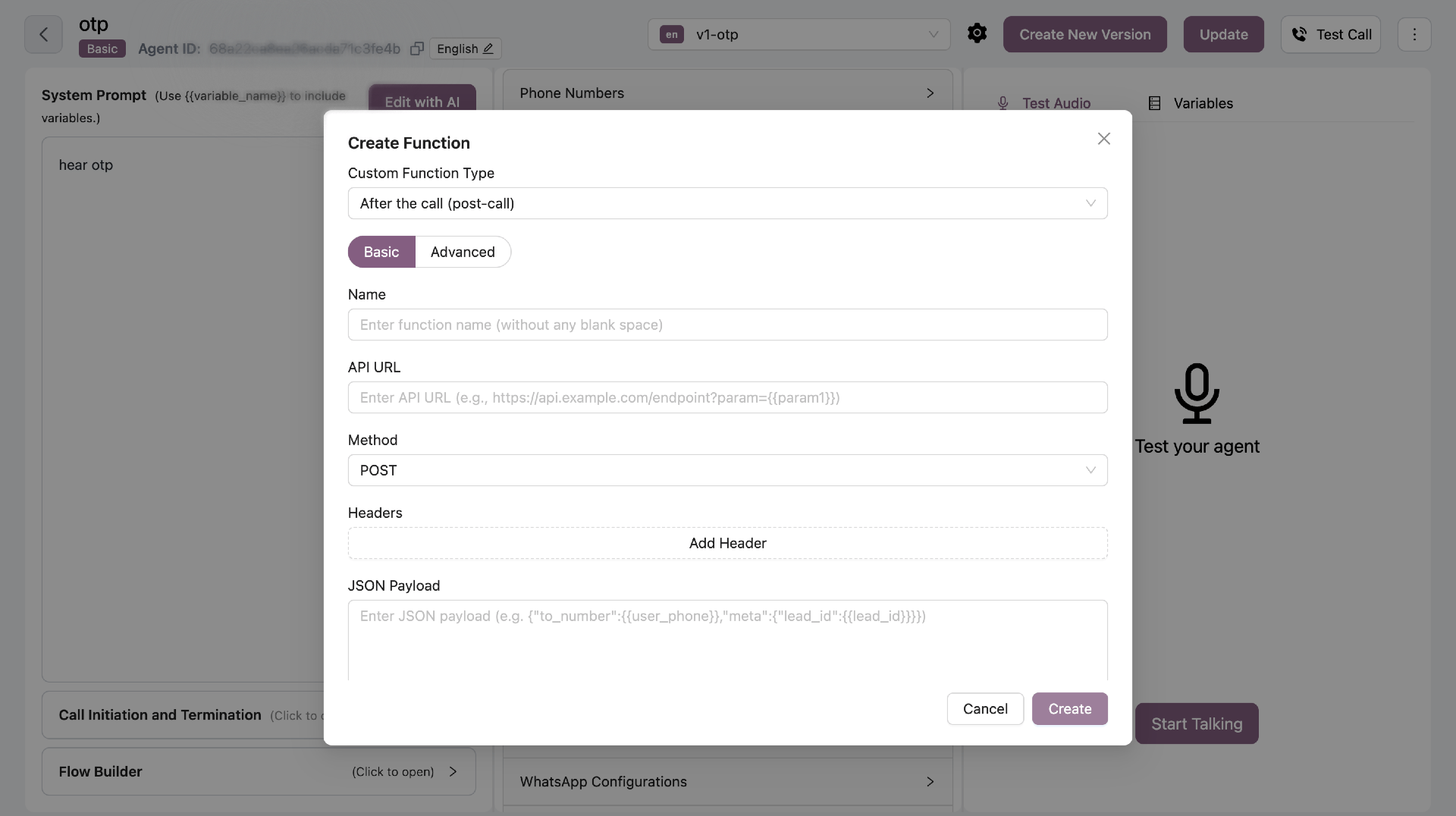
Configuration Fields

FieldRequiredDescription
NameYesFunction name (no spaces)
API URLYesEndpoint to call (supports variables)
MethodYesGET, POST, PUT, or DELETE
HeadersNoAuthentication headers
ParametersYesJSON with variable mapping
ConditionYesWhen to trigger this function

URL Variable Mapping

Include variables in URL using double curly braces: Example:
https://api.example.com/leads/{lead_id}/update
Map each variable to call data:
  • lead_id from call_metadata
  • call_status from post_call variables

JSON Parameters

Define JSON structure with variables and map each to its source from call metadata or post-call analysis.

Conditional Execution

Control when your post-call function runs by adding conditions. Call Type Filter:
  • All - Run for all calls (default)
  • Connected - Only run for connected calls (duration > 0)
  • Not Connected - Only run for missed/failed calls
Variable Conditions: Add conditions based on call metadata or post-call variables. The function runs only when all conditions match (AND logic). Example Conditions:
  • Call Metadata: lead_source equals "website"
  • Post Call Variable: interested equals true
  • Call Type: Connected only
Use Cases:
  • Send confirmation email only when confirmation is true
  • Update CRM only for connected calls
  • Schedule callback only when interested is true and call was not connected
All conditions must match for the function to execute. This ensures precise control over when your post-call logic runs.

Advanced Mode (JavaScript)

Write custom JavaScript for complex business logic. Post-Call Advanced Mode
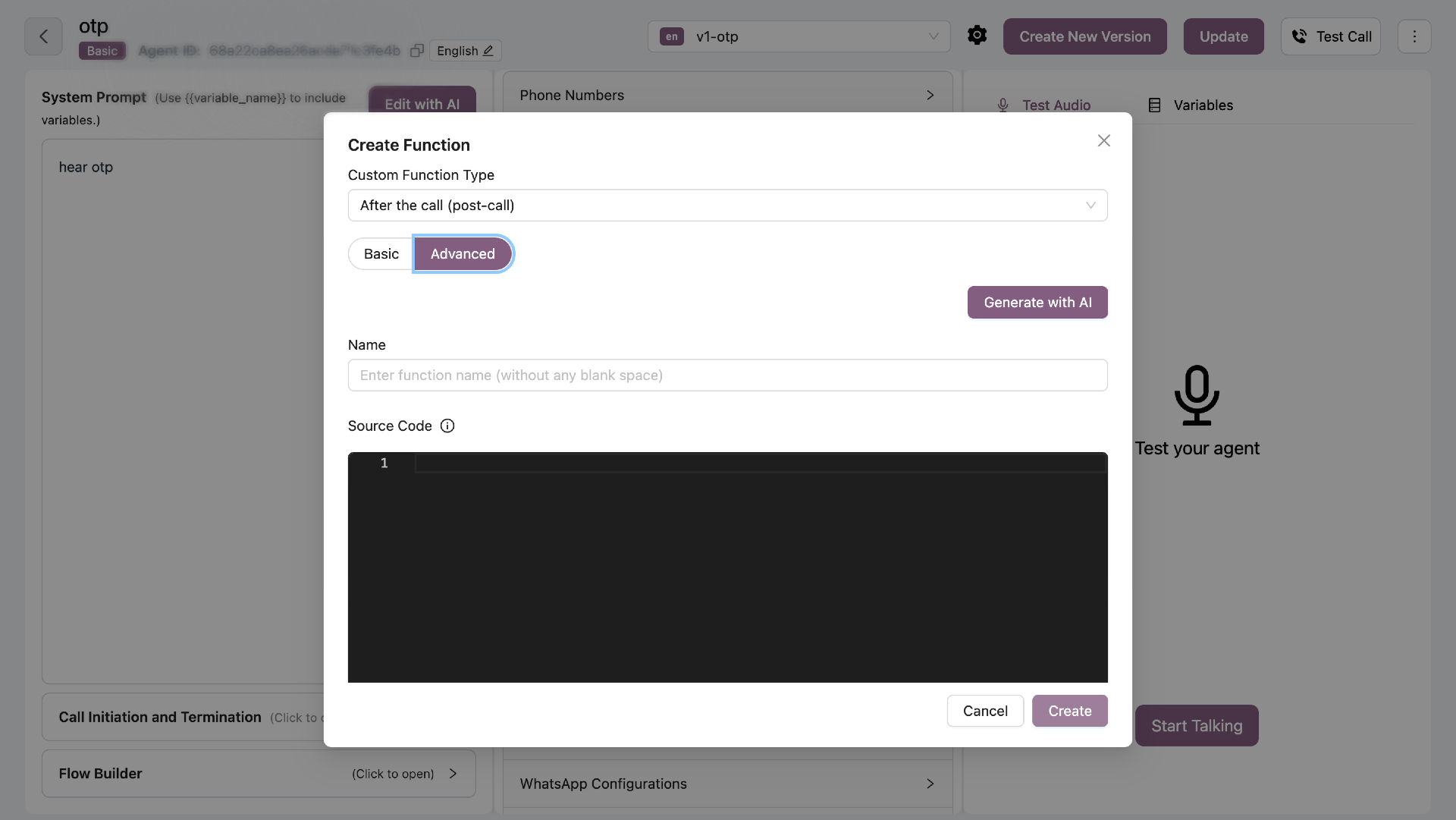
Function Signature

All post-call functions must follow this signature:
async function functionName(context) {
    // Your code here
}
Critical Rules:
  • Must be async function
  • Takes exactly ONE parameter: context
  • Returns nothing (void)
  • ALL variables accessed via context object

Context Object

The context object contains all call data and methods. Available Variables:
// Call metadata (from UI configuration)
context.call_metadata.lead_id
context.call_metadata.name
context.call_metadata.email
// ... any custom fields you defined

// Post-call analysis (from AI)
context.post_call.interested
context.post_call.selected_slot
context.post_call.objections
// ... any AI-extracted data

// Call information
context.call_duration      // seconds
context.hangup_reason      // string
context.user_phone_number
context.agent_phone_number
context.callSid
context.recordingUrl
context.agent              // agent ID
context.userId             // user ID
context.name               // agent name

Mutable Fields (You CAN Modify)

These fields can be updated:
  • context.conversion_status - Set to true/false for conversion tracking
  • context.disposition_reason - Update call disposition
  • context.next_call_scheduled - Boolean flag for scheduling status
  • context.post_call.* - Add or update any field in post_call object
  • context.post_call_detail.* - Add details with value + comment format
  • context.functions_called - Push function execution logs
Example:
context.conversion_status = true;
context.post_call.custom_field = "value";
context.post_call_detail.custom_field = {
    value: "value",
    comment: "Explanation"
};

Read-Only Fields (Do NOT Modify)

🔒 These fields are immutable:
  • context.agent - Agent ID (immutable)
  • context.userId - User ID (immutable)
  • context.call_duration - Call duration in seconds
  • context.hangup_reason - Hangup reason code
  • context.call_metadata - Original call metadata (read-only)
  • context.callSid - Call SID
  • context.recordingUrl - Call recording URL
  • context.user_phone_number - Customer phone number
  • context.agent_phone_number - Agent phone number
Modifying read-only fields may cause unexpected behavior or errors.

Pre-Imported Modules

These modules are available without require(): axios - HTTP requests
const response = await axios.post(url, data);
moment - Date/time manipulation
const now = moment.tz("Asia/Kolkata");
lodash (_) - Utility functions
const unique = _.uniq(array);

Example: Calculate NDOA

async function calculateNDOA(context) {
    const FMT = "YYYY-MM-DDTHH:mm:ss";
    const nowIST = moment.tz("Asia/Kolkata");
    
    // Initialize NDOA
    context.post_call.ndoa = "";
    context.post_call_detail.ndoa = {
        value: "",
        comment: "Next Date of Action calculated"
    };
    
    // Check if call was connected
    const connected = context.call_duration > 0 && 
                     context.hangup_reason !== "VOICEMAIL_DETECTED";
    
    if (connected) {
        if (context.post_call.cancellation || 
            context.post_call.confirmation) {
            // Call resolved - no callback needed
            context.post_call.ndoa = "";
            context.post_call_detail.ndoa = {
                value: "",
                comment: "Call resolved, no ndoa"
            };
        } else {
            // No resolution: schedule 1 hour later
            const ndoaTime = nowIST.clone().add(60, "minutes");
            context.post_call.ndoa = ndoaTime.format(FMT);
            context.post_call_detail.ndoa = {
                value: context.post_call.ndoa,
                comment: "No resolution, scheduling ndoa 1 hour later"
            };
        }
    } else {
        // Not connected: schedule 1.5 hours later
        const ndoaTime = nowIST.clone().add(90, "minutes");
        context.post_call.ndoa = ndoaTime.format(FMT);
        context.post_call_detail.ndoa = {
            value: context.post_call.ndoa,
            comment: "Call not connected, scheduling ndoa 1.5 hours later"
        };
    }
    
    // Log function execution
    context.functions_called.push({
        name: "calculateNDOA",
        parameters: {
            agent: context.agent,
            call_duration: context.call_duration,
            hangup_reason: context.hangup_reason
        },
        success: true,
        response: { ndoa: context.post_call.ndoa },
        timestamp: new Date().toISOString()
    });
}

Making API Calls

try {
    const response = await axios({
        method: 'POST',
        url: 'https://api.example.com/leads/update',
        headers: { 
            'Authorization': 'Bearer TOKEN',
            'Content-Type': 'application/json'
        },
        data: {
            lead_id: context.call_metadata.lead_id,
            call_duration: context.call_duration,
            interested: context.post_call.interested
        },
        timeout: 10000
    });
    
    if (response.status === 200) {
        console.log('API call successful:', response.data);
        context.post_call.crm_updated = true;
    }
} catch (error) {
    console.error('API error:', error.message);
    context.post_call_detail.api_error = {
        value: error.message,
        comment: 'Failed to update CRM'
    };
}

Logging Function Execution

MANDATORY SCHEMA - Only use these 5 fields:
const functionLog = {
    name: "functionName",           // String: Function name
    parameters: { ... },            // Object: Input parameters used
    success: true,                  // Boolean: Whether function succeeded
    response: { ... },              // Any: Response data or error message
    timestamp: new Date().toISOString()  // String: ISO timestamp
};

context.functions_called.push(functionLog);
Do NOT add extra fields like “details”, “result”, “ndoa”, etc. Use only the 5 required fields above.
Example with Error Handling:
const functionLog = {
    name: "updateCRM",
    parameters: { lead_id: context.call_metadata.lead_id },
    success: true,
    response: { message: "CRM updated successfully" },
    timestamp: new Date().toISOString()
};

try {
    // Your logic here
    functionLog.success = true;
    functionLog.response = { updated: true };
} catch (error) {
    functionLog.success = false;
    functionLog.response = error.message;
} finally {
    context.functions_called.push(functionLog);
}

AI Generation

Click “Generate with AI” to create functions using natural language. Example Prompt:
Calculate next date of action based on call outcome.
If confirmed, no callback needed.
Otherwise schedule 2 hours later.

Security Rules

FORBIDDEN:
  • process.env - No environment variables
  • process - No process object
  • require() - Use pre-imported modules only
  • eval(), Function() - No dynamic code
  • fs - No filesystem access
  • child_process - No process execution

Best Practices

  • Use context object - All variables via context
  • Set timeouts - 10 seconds max for API calls
  • Handle errors - Catch and log errors properly
  • Log execution - Always log to context.functions_called
  • Document changes - Use post_call_detail with comments
  • Test thoroughly - Verify with different scenarios
Variable conversion: agent becomes context.agent, call_duration becomes context.call_duration