
Overview

Pre-call functions execute before your AI agent starts a call. They allow you to customize the system prompt and update call metadata based on external data. Common Use Cases:
  • Fetch user preferences from database
  • Customize greeting based on language
  • Load context from CRM
  • Set dynamic variables in system prompt

Execution Timing

[Pre-Call Function Executes] → [Call Starts] → [Conversation]
Pre-call functions run once before the call connects, allowing you to prepare the agent with custom context.

Basic Mode

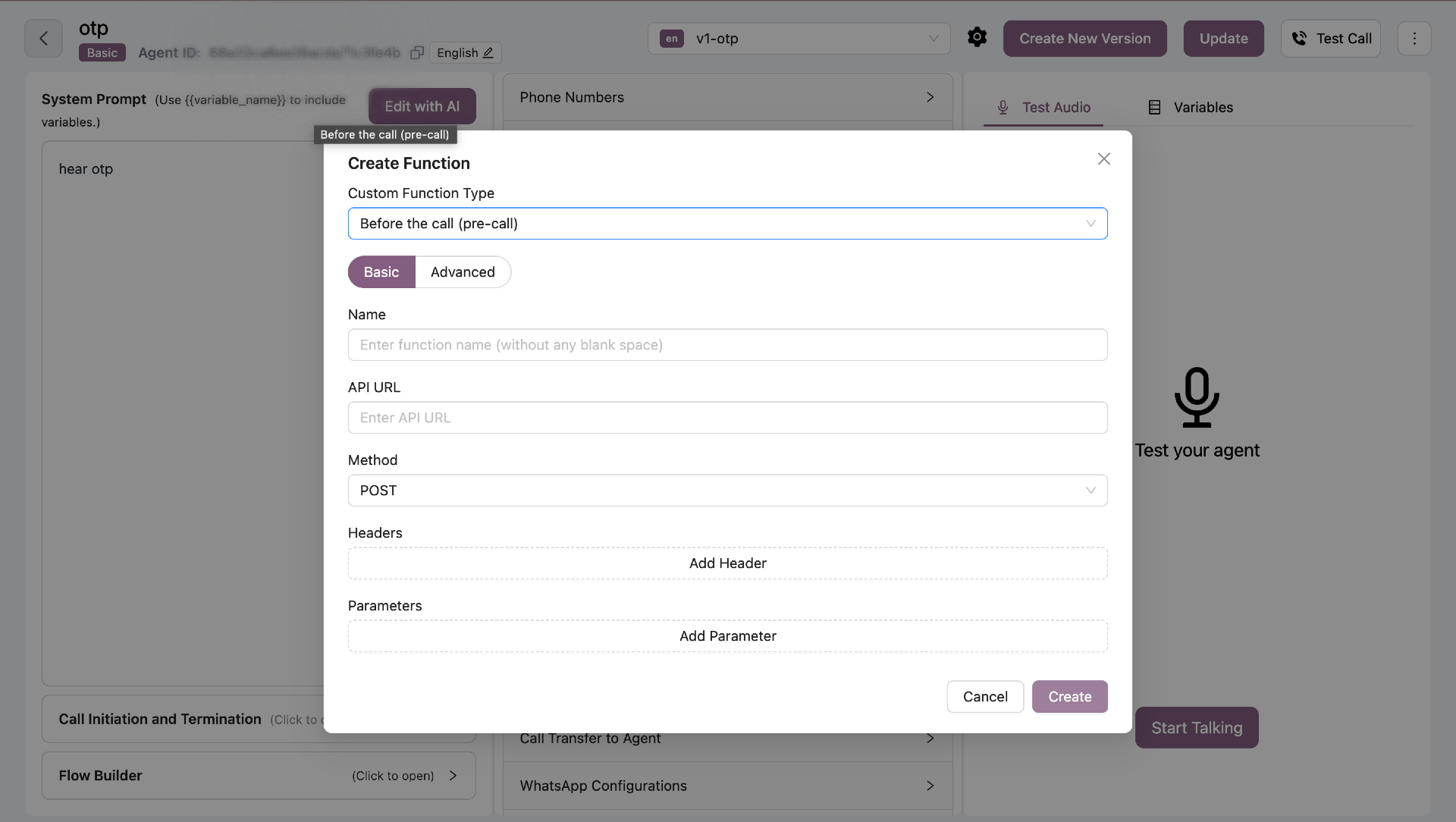
Configure API integrations without writing code. Pre-Call Basic Mode
Configuration Fields

FieldRequiredDescription
NameYesFunction name (no spaces)
API URLYesEndpoint to call
MethodYesGET, POST, PUT, or DELETE
HeadersNoAuthentication and custom headers
ParametersNoQuery or body parameters

Example: Fetch User Language

API URL: https://api.example.com/users/{user_id}/preferences Method: GET Headers:
Authorization: Bearer YOUR_TOKEN
The API response is used to update metadata and system prompt.

Advanced Mode (Python)

Write custom Python code for complex logic. Pre-Call Advanced Mode
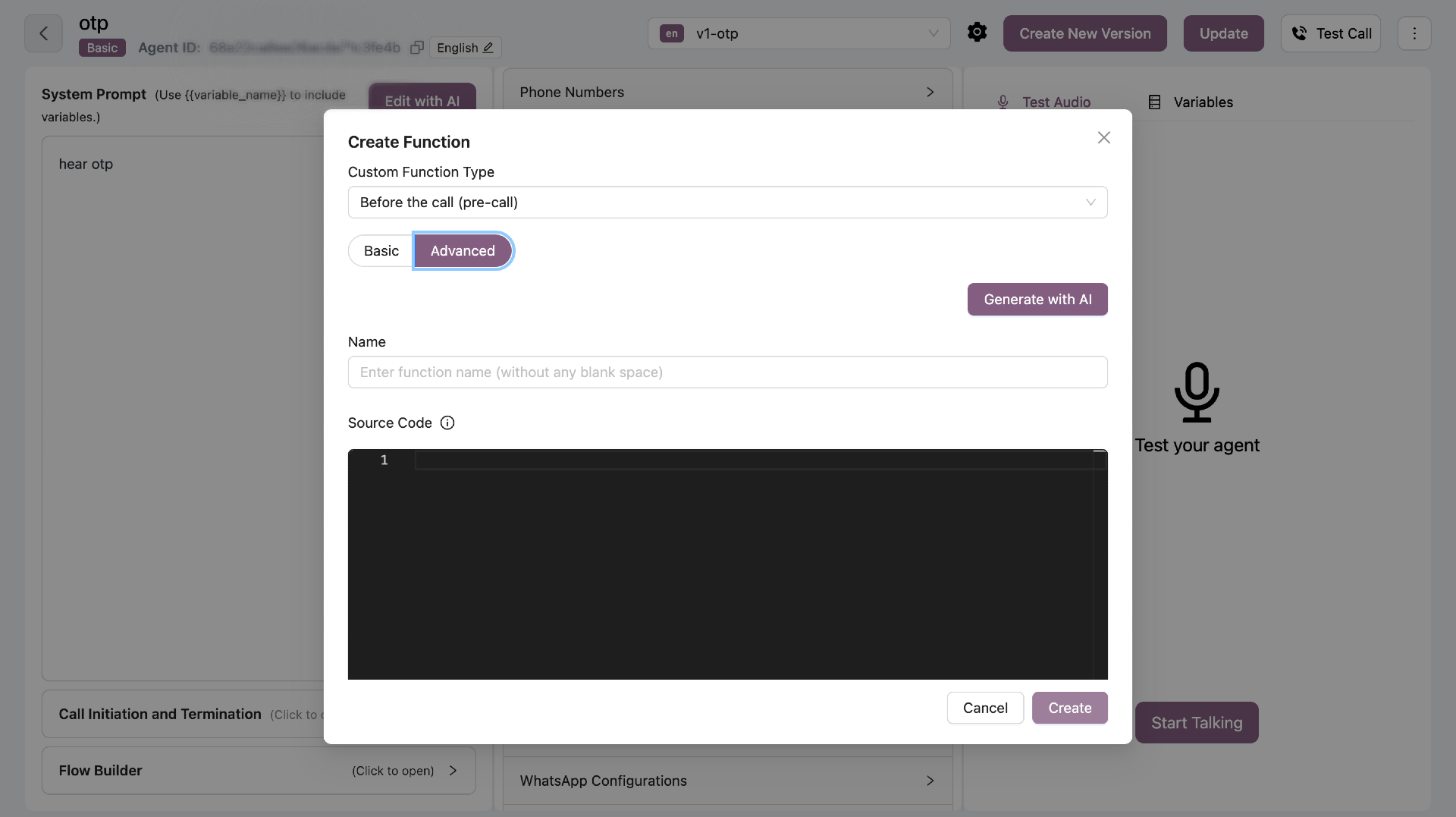
Function Signature

async def function_name(metadata: dict, system_prompt: str) -> str:
    """
    Pre-call function to customize system prompt
    """
    # Your code here
    return system_prompt  # Must return updated prompt
Rules:
  • Must be async def
  • Takes exactly 2 parameters: metadata and system_prompt
  • Must return the updated system_prompt string
  • Can modify existing metadata keys only (cannot add new keys)

Metadata Rules

You can only modify existing metadata keys. Adding new keys is forbidden.
Allowed:
# Read and update existing keys
if "preferred_language" in metadata:
    metadata["preferred_language"] = "hi"

# Safe access
user_id = metadata.get("user_id")
Not Allowed:
# Adding new keys is forbidden
metadata["new_field"] = "value"  # ❌

System Prompt Updates

Replace placeholders in the system prompt with actual values:
final_prompt = system_prompt

# Replace placeholders
final_prompt = final_prompt.replace("{user_name}", user_name)
final_prompt = final_prompt.replace("{greeting}", greeting)

return final_prompt

Example: Load Language Preferences

async def load_language_and_greeting(metadata: dict, system_prompt: str) -> str:
    """
    Fetches preferred language from API and updates system prompt
    """
    final_prompt = system_prompt
    lead_id = metadata.get("lead_id")
    preferred_language = None
    
    # Fetch language from API
    if lead_id:
        try:
            async with httpx.AsyncClient(timeout=5.0) as client:
                resp = await client.get(
                    f"https://api.callkaro.ai/v1/user-language",
                    params={"lead_id": lead_id}
                )
            
            if resp.status_code == 200:
                data = resp.json()
                preferred_language = data.get("language")
        except httpx.RequestError:
            logger.error("Network error calling user-language API")
    
    # Update metadata if key exists
    if preferred_language and "preferred_language" in metadata:
        metadata["preferred_language"] = preferred_language
    
    # Update system prompt
    lang_val = preferred_language or "en"
    greeting = {
        "hi": "नमस्ते",
        "en": "Hello",
        "ta": "வணக்கம்"
    }.get(lang_val, "Hello")
    
    final_prompt = final_prompt.replace("{preferred_language}", lang_val)
    final_prompt = final_prompt.replace("{greeting}", greeting)
    
    return final_prompt

AI Generation

Click “Generate with AI” to create functions using natural language. Example Prompt:
Fetch user's preferred language from https://api.example.com/users/{lead_id}/language
and update the system prompt with the appropriate greeting
The AI will generate the complete function code following all rules and best practices.

Allowed Operations

  • HTTP calls with httpx.AsyncClient
  • JSON parsing
  • String manipulation
  • Environment variables
  • Logging

Best Practices

  • Timeout API calls - Always set timeouts (5-10 seconds)
  • Handle errors gracefully - Don’t break the call if API fails
  • Use existing keys - Only modify metadata keys that already exist
  • Keep it fast - Pre-call functions delay call start
  • Log important events - Use logger for debugging
Keep pre-call functions fast (under 2 seconds) to avoid delaying call start.