The four phases
1
Collect
Callkaro gathers the previous day’s calls for every agent that has a KPI Manager configuration, applies the scope from your RCA Prompt, and sends the batch to each configured data source — calling your API endpoints and running your Python code.
2
Measure
Each KPI metric’s actual value is read from the responses and compared against its target. Every comparison is recorded, whether it passed or failed.
3
Analyse
Any metric that missed its target by at least 1 percentage point — and that your RCA Prompt actually asks about — triggers a Root Cause Analysis. The RCA agent reads the day’s audited calls, transcripts, post-call variables, the agent’s own prompt and its recent findings history, then writes a report.
4
Deliver
The report is stored against the agent and that day, rendered as a PDF, emailed to the agent’s owner, and its root causes become cards in Pending Tasks ready to be assigned.
Why the threshold exists. A metric that lands a fraction below target is noise, not a problem. The 1-percentage-point floor keeps the reports meaningful — you only get a report when there is something real to explain.
Watching the pipeline run
Every step of the pass is recorded in a day-wise timeline, so you can see exactly what happened and when. Open it from History → RCA on the KPI Manager Dashboard.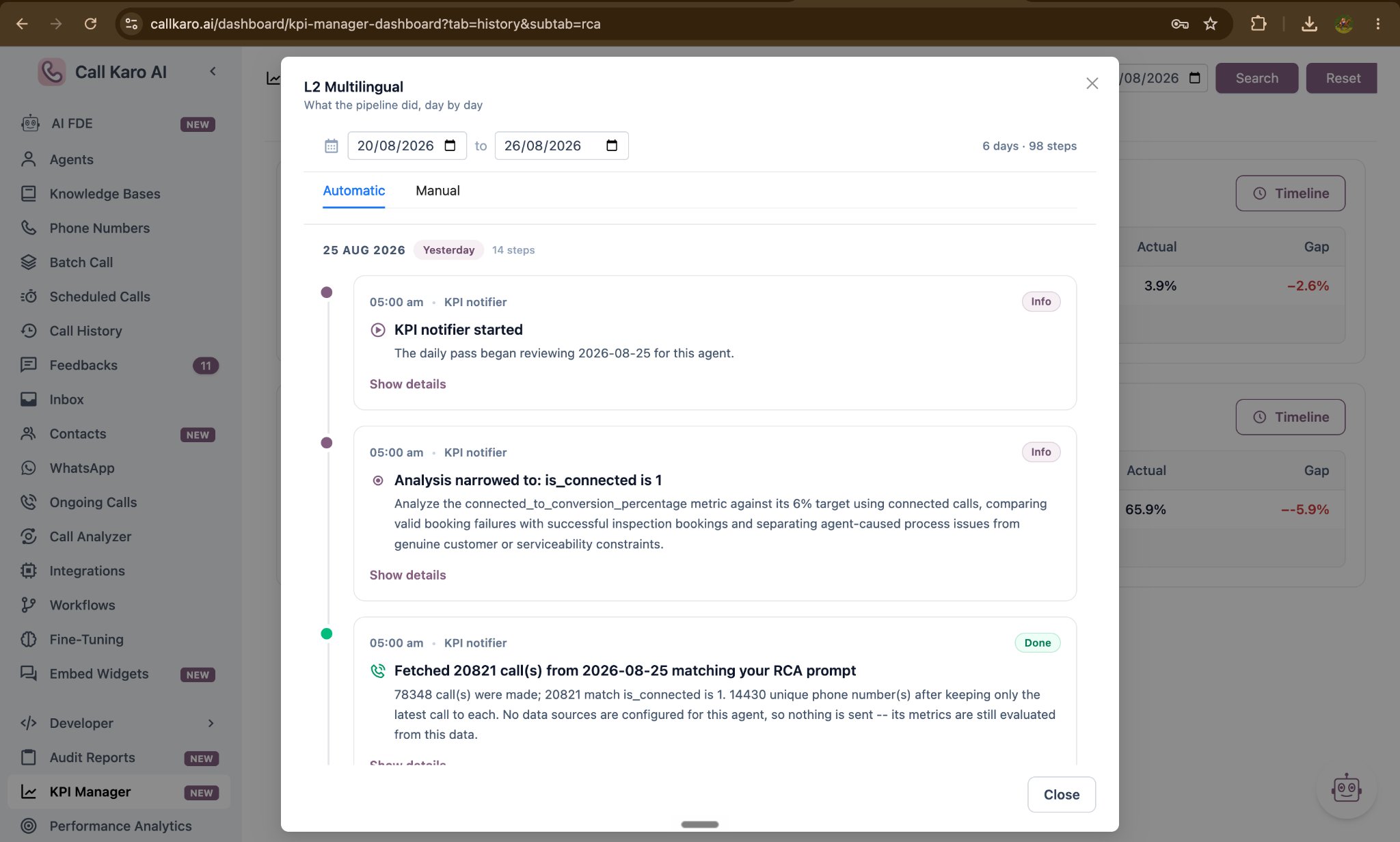
When an analysis does not run
A metric is measured and reported every day, but an analysis only runs if all four of these are true:- The metric’s actual value is below its target.
- The shortfall is at least 1 percentage point.
- Your RCA Prompt covers that metric — if the prompt asks only about conversion rate, other metrics are still measured but not analysed.
- Auto RCA is switched on for that agent.